Creating a Mandala with LaTeX TikZ

A complete guide to drawing mandalas using LaTeX TikZ — including full .tex source code and detailed line-by-line explanations.
1 Introduction
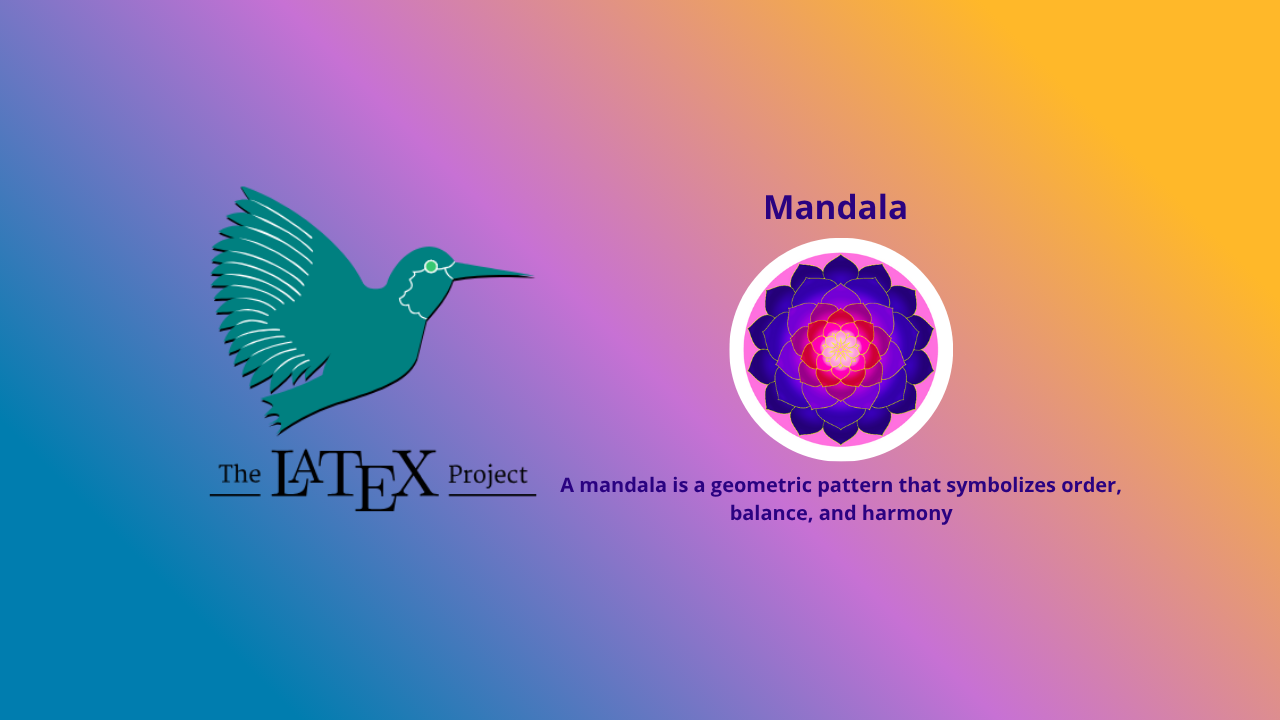
A mandala is a geometric pattern that symbolizes order, balance, and harmony. Typically, mandalas are used in art and meditation as symbols of unity between the microcosm and macrocosm.
In the context of computing, we can draw mandalas automatically with high precision using LaTeX with the TikZ package, a very powerful vector graphics library.
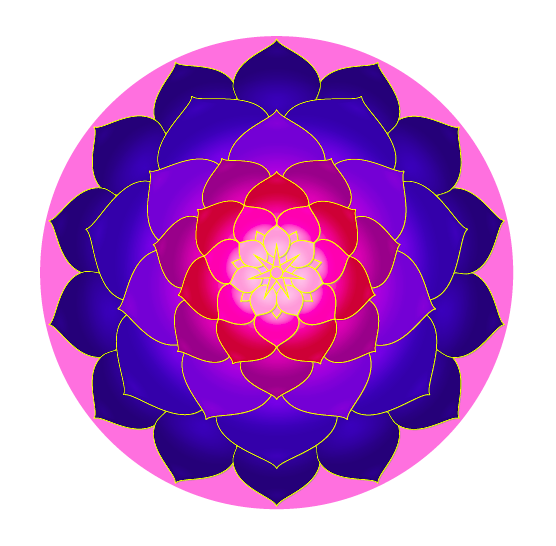
This article provides a complete explanation of how the following LaTeX code produces beautiful, multi-layered colored mandalas using geometry, transformations, and shadow effects features from TikZ.
2 Complete LaTeX Code
\documentclass{article}
\usepackage[margin=0.3cm, paperwidth=8.4cm, paperheight=8.4cm]{geometry}
\usepackage{tikz}
\usetikzlibrary{shadows}
\usetikzlibrary{fadings}

\tikzfading[name=fade out, inner color=transparent!0,
  outer color=transparent!100]

\def\petal {
  [rounded corners=0.5]
  (-1,0)
  .. controls (-1,0.6) and (-0.07,0.8).. (0,1)
  .. controls (0.07,0.8) and (1,0.6).. (1,0)
  .. controls (0.7,-1) and (-0.7,-1).. (-1,0)
}

\def\background[#1,#2]{
  \fill[#1] (0,0) circle (3.9);
  \fill[#2] (0,0) circle (1);
}

\def\center[#1]{
  \foreach \a in {51.4285,102.857,...,360} {
    \draw[color=yellow,rotate=\a,fill=#1]
    (-0.08,0) -- (0,0.46) -- (0.08,0);
  }
  \draw[color=yellow,fill=#1] (0,0) circle (0.1);
}

\def \mandala {
  \background[red!30!blue!70!black,blue!70!yellow!50];
  \foreach \ysh/\xs/\ys/\af/\as/\y/\b/\w/\r/\bl in {
    3.06/0.72/0.8/25.71425/51.4285/70/100/100/100/100,
    2.34/1/0.9/25.71425/77.14275/6/90/92/80/80,
    1.8/0.8/0.9/51.4285/102.857/0/75/100/60/70,
    1.5/0.6/0.6/25.71425/77.14275/0/55/100/40/60,
    1.1/0.53/0.58/51.4285/102.857/0/40/100/20/50,
    0.8/0.37/0.45/25.71425/77.14275/0/45/85/20/40,
    0.53/0.1/0.24/25.71425/77.14275/0/10/100/0/30,
    0.49/0.22/0.32/51.4285/102.857/0/10/100/0/50
  } {
    \foreach \a in {\af,\as,...,360} {
      \begin{scope}[rotate=\a,shift={(0,\ysh)},xscale=\xs,yscale=\ys]
        \draw[color=yellow,fill=yellow!\y!red!\b!blue!\w]
        [drop shadow={shadow xshift=0.5pt, shadow yshift=-0.5pt}]
        \petal;
      \end{scope}
      \begin{scope}[transform canvas={rotate=\a},shift={(0,\ysh)},xscale=\xs,yscale=\ys]
        \clip \petal;
        \fill[path fading=fade out,fill=red!\r!blue!\bl!black, opacity=0.7]
        (0,-0.35) ellipse (1.2 and 0.75);
        \fill[path fading=fade out,fill=red!\r!blue!\bl!black, opacity=0.3]
        (0,-0.2) ellipse (1.2 and 0.4);
        \fill[path fading=fade out,fill=red!\r!blue,opacity=0.2]
        (-0.4,0.6) -- (0,0.9) -- (0.4,0.6);
      \end{scope}
    }
  }
  \center[blue]
}

\pagestyle{empty}
\setlength{\parindent}{0pt}
\begin{document}
\tikz\mandala;

\tikz\mandalac[magenta!30!,magenta,purple,violet,];
\tikz\mandalac[blue!40!black,violet,purple,pink,];
\tikz\mandalac[lime!90!black,yellow!95!black,orange,red,];
\tikz\mandalac[green!80!black,yellow,pink,purple!90!,red];
\tikz\mandalab[green!50!black, green!60!black, green!70!black!80!, green!50!,
  green!10!, pink!40!, red!40!,];
\tikz\mandalab[blue!30!black, blue!40!black, blue!60!black, blue!70!black!80!,
  blue!50!, yellow!40!, yellow!70!,];
\end{document}
The output Produced:
3 Basic Document Setup
The initial part of the code prepares the document type and canvas size.
\documentclass{article}
\usepackage[margin=0.3cm, paperwidth=8.4cm, paperheight=8.4cm]{geometry}
\usepackage{tikz}
\usetikzlibrary{shadows}
\usetikzlibrary{fadings}
Explanation:
geometryis used to set margins and paper size (8.4×8.4 cm).tikzis the main package for drawing.shadowsandfadingsadd shadow effects and soft gradations to visual elements.
Additionally, a fading definition is created so that object edges can fade gradually:
\tikzfading[name=fade out, inner color=transparent!0, outer color=transparent!100]4 Creating the Basic Element: Flower Petal
The main visual element of this mandala is a flower petal shape, defined using Bézier curves:
\def\petal {
  [rounded corners=0.5]
  (-1,0)
  .. controls (-1,0.6) and (-0.07,0.8).. (0,1)
  .. controls (0.07,0.8) and (1,0.6).. (1,0)
  .. controls (0.7,-1) and (-0.7,-1).. (-1,0)
}
Explanation:
- This shape draws a single symmetric petal with rounded tips.
- Control points determine the curvature of the petal to appear natural and proportional.
5 Background and Mandala Center
5.1 Background
Formed with two colored circles:
\def\background[#1,#2]{
  \fill[#1] (0,0) circle (3.9);
  \fill[#2] (0,0) circle (1);
}
Explanation:
- The first color
#1is the outer circle color. - The second color
#2is the center color, providing a contrast effect.
5.2 Mandala Center
The center of the mandala is decorated with small stars with gradient colors:
\def\center[#1]{
  \foreach \a in {51.4285,102.857,...,360} {
    \draw[color=yellow,rotate=\a,fill=#1]
    (-0.08,0) -- (0,0.46) -- (0.08,0);
  }
  \draw[color=yellow,fill=#1] (0,0) circle (0.1);
}
Explanation:
- The star is formed from repeating small triangles rotated by several degrees.
- The center color is set through parameter
#1(usually blue or purple).
6 Basic Mandala (Fixed Colouring)
The following definition produces a mandala with a fixed color combination:
\def \mandala {
  \background[red!30!blue!70!black,blue!70!yellow!50];
  ...
  \center[blue]
}
Explanation:
The core part uses \foreach loops to draw layers of petals repeatedly with rotation and position shifts (rotate, shift, xscale, yscale).
Shadow effects are created with:
[drop shadow={shadow xshift=0.5pt, shadow yshift=-0.5pt}]Soft light effects using:
\fill[path fading=fade out, fill=red!... , opacity=0.7]The result is a mandala with rich color nuances and real visual depth.
7 Parametric Mandala (Parametric Colouring)
For more dynamic color variations, two versions of parametric mandalas are provided.
7.1 \mandalac — Five Color Parameters
\def \mandalac[#1,#2,#3,#4,#5]{ ... }Parameter Meanings:
#1outermost layer color#2third layer color#3fifth layer color#4seventh layer color#5fading effect color (gradation inward)
Example Usage:
\tikz\mandalac[blue!40!black,violet,purple,pink,];
7.2 \mandalab — Eight Color Parameters
This version provides more control over each color layer:
\def \mandalab[#1,#2,#3,#4,#5,#6,#7,#8]{ ... }Explanation:
- Color layers are arranged gradually from outside to center.
#8controls the intensity of the fading effect (gradation).
With this macro, users can produce mandalas with very complex color combinations.
8 Final Results
The final part of the code produces several mandala variations with different color schemes:
\tikz\mandala;
\tikz\mandalac[magenta!30!,magenta,purple,violet,];
\tikz\mandalac[lime!90!black,yellow!95!black,orange,red,];
\tikz\mandalab[blue!30!black, blue!40!black, blue!60!black, blue!70!black!80!, blue!50!, yellow!40!, yellow!70!,];
Results:
A collection of mandala patterns displaying:
- Differences in color layers and gradations,
- Soft visual textures due to shadows and fading, and
- Geometric harmony through regular 360° rotation.
All these patterns are generated entirely through code, without the aid of external graphic design software.
9 Conclusion
Drawing mandalas with LaTeX and TikZ demonstrates that this scientific typesetting system is not limited to text and formulas, but is also capable of creating complex visual artwork.
By utilizing:
- Bézier curves for organic shapes,
- Transformations (rotation, scale, translation) to create symmetry, and
- Shadow and fading effects for visual depth,
users can create beautiful, precise, and aesthetic mandala patterns, entirely code-based.
This approach combines mathematical logic and artistic beauty — making LaTeX not just a scientific writing tool, but also a digital canvas for geometric art.
10 References
- Tantau, T. (2024). TikZ & PGF Manual, Version 3.1.10 — The Definitive Guide to Graphics in LaTeX.
- Botoeva, E. (2018). The Beauty of Symmetry: Drawing Mandalas with TikZ.
- Overleaf. TikZ Examples Gallery. https://www.overleaf.com/gallery/tagged/tikz
Written by: Aan Triono
License: CC BY-SA 4.0