Why Choose Linux

This article discusses the reasons for migrating from Windows to Linux.
1 Introduction
It’s been 3 years since I started using Linux as my primary operating system for everyday work. It all began from the realization of the risks and ethical concerns of using pirated or cracked software on Windows.
Through learning, both physically and digitally, and interacting with various Linux communities across the internet and Telegram, I was motivated to migrate from Windows to Linux. That’s when I decided to take Linux seriously.
Ubuntu was the first Linux distribution I tried. There was a different feeling seeing a desktop that looked unfamiliar compared to Windows. My curiosity grew instantly — many questions appeared that needed answers. Exploring deeper, I found LibreOffice as the default office suite, including Writer, Calc, Impress, Draw, Math, and Base.
Was it difficult to use Linux applications at first? Of course — anything new requires adaptation and patience. 😄
As a new Linux user, I experienced what’s called “distro hopping.” This term refers to the habit of frequently switching between Linux distributions in a short period. Some of the distros I’ve tried include:
- Debian
- Ubuntu
- MX Linux
- Antix
- Deepin
- Arch
- Endeavour
- Mabox
- Langit Ketujuh
- Garuda
- Fedora
I also had a chance to try Unix-based systems such as:
- FreeBSD
- GhostBSD
Even though I’ve switched between many distros, my Linux skill level… well, still about the same 😅
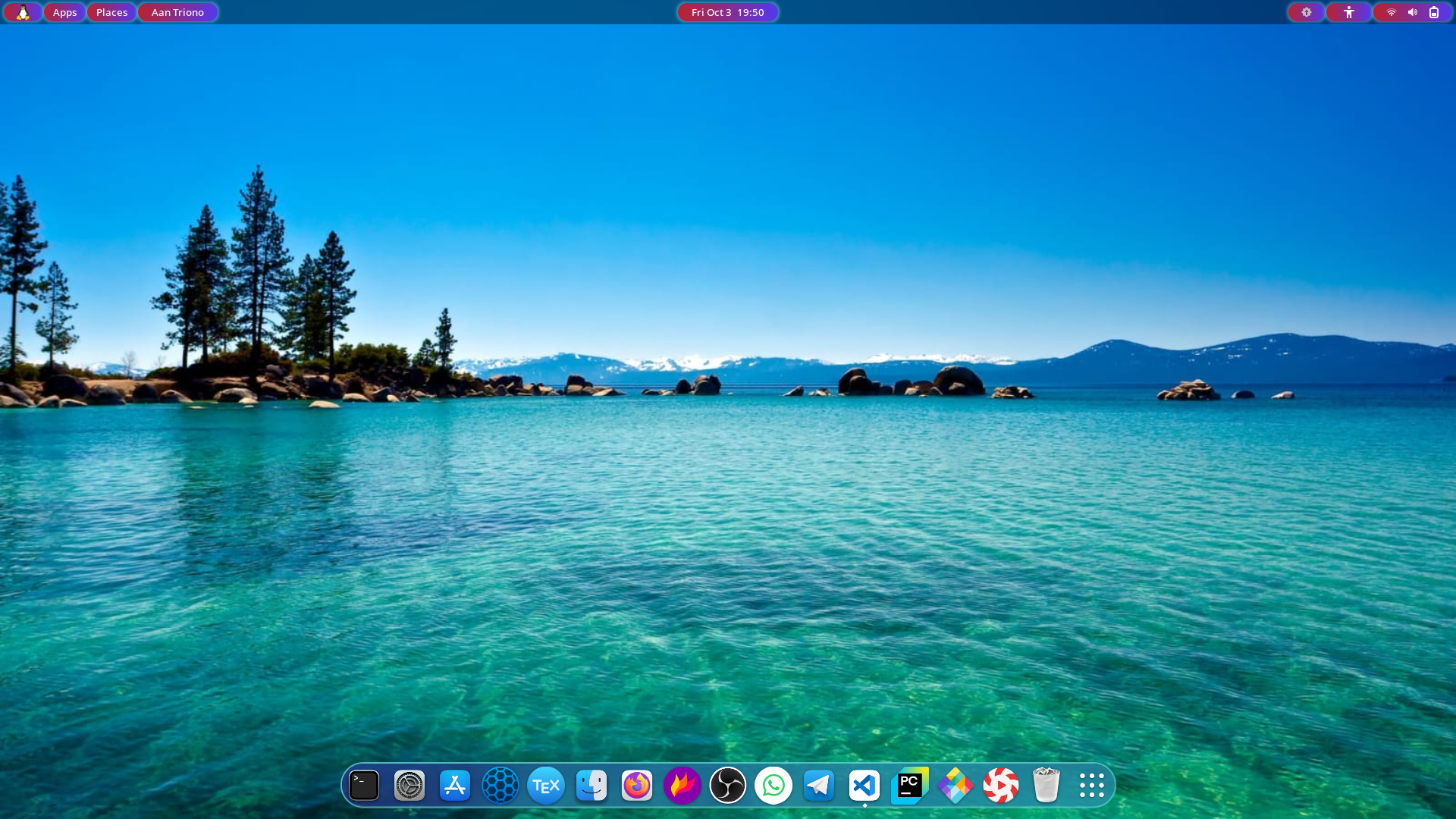
Here’s a look at the desktop from the Linux distro I currently use. Guess which one?
2 It’s Free
Linux is completely free. You don’t need to pay for any license, except for enterprise editions like Red Hat Enterprise Linux (RHEL) or SUSE Linux Enterprise.
Unlike Windows, Linux doesn’t bother you with “Activate Windows” messages or require pirated patches that could contain malware.
3 More Secure
Every OS has its vulnerabilities, but Linux is known as one of the most secure operating systems.
Windows systems are notorious for being targeted by malware and viruses, while Linux is inherently more secure — not invincible, but much harder to exploit.
Linux’s package management, repository-based software system, and permission model all contribute to its strong security. You don’t even need antivirus software in most cases, saving money and resources.
4 Open Source
Using a closed-source OS is like buying a car but never being allowed to open the hood. With Linux, you can see everything under the hood — it’s fully open source.
Even if most users won’t read the source code, the openness ensures transparency and trust. Developers can inspect, modify, and improve Linux freely.
5 Lightweight on Low-End Hardware
As operating systems evolve, hardware requirements also increase dramatically. For example, Windows 10 or 11 needs at least 8 GB of RAM for smooth performance, ideally 16 GB.
In contrast, Linux can run smoothly on older or low-spec computers. Many lightweight distros like Xubuntu, Lubuntu, or MX Linux can revive old machines efficiently.
6 Highly Customizable
Customization is one of Linux’s biggest strengths. If you love to tweak your desktop’s look and feel, Linux is the best choice.
Different desktop environments offer unique experiences:
- GNOME – simple, elegant, and modern.
- KDE Plasma – extremely customizable and full of features.
- Cinnamon, Budgie, Xfce – great alternatives for different preferences.
You can even apply new icon themes, widgets, and wallpapers — or use Conky to display real-time system info right on your desktop.
7 Perfect for Programmers
Linux supports almost every major programming language (Python, C/C++, Java, Perl, Ruby, etc.) and provides built-in development tools.
The Linux terminal is far more powerful than Windows’ command prompt. Package managers like apt and dnf make software installation effortless.
Moreover, Linux has built-in SSH support, ideal for managing servers. That’s why most developers and DevOps professionals prefer Linux-based environments.
8 Built-in “App Store”
Installing software on Linux is easy thanks to Software Centers (like GNOME Software or KDE Discover).
Most apps you’ll ever need are available directly from official repositories. Modern distros also support Flatpak, Snap, and AppImage, making software installation consistent and reliable.
9 Many Distributions to Choose From
Unlike Windows, Linux isn’t just one OS — it’s a whole family of distributions (distros) tailored to different needs.
- Security testing? Try Kali Linux.
- Programming? Try Ubuntu or Fedora.
- Old hardware? Try Puppy Linux or Lubuntu.
There’s a Linux distro for everyone.
10 Reliability
Windows tends to slow down over time, sometimes requiring a full reinstall. Linux, however, remains fast and stable for years.
You rarely need to reboot Linux, except for kernel updates. With Windows, almost every small change requires a restart — install software, uninstall, update, reboot!
That’s why Linux powers most of the world’s web servers, supercomputers, and tech giants like Google and Facebook.
11 Supportive Community
You don’t need to hire a technician to fix Linux problems. The Linux community is incredibly active and helpful.
Just search forums, ask on Telegram groups, Reddit, or StackExchange — and you’ll likely get friendly, detailed help for free.
12 Conclusion
Those were my reasons for switching from Windows to Linux as my main operating system.
Sure, Linux still has limitations — mainly with certain proprietary apps or games — but support is growing fast. More developers are creating native Linux versions every year.
If you’re curious, give Linux a try. You might just find your own reasons to stay.
👉 So, are you ready to try Linux?