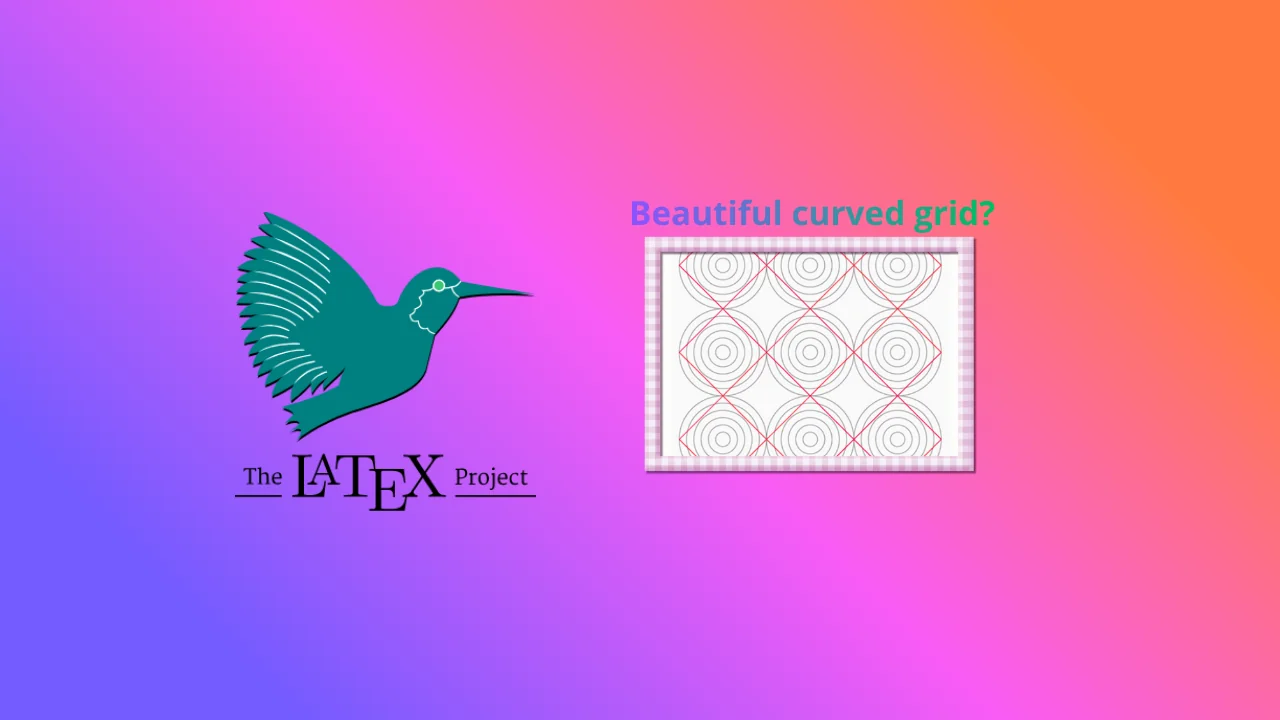
This article explores the geometric circle illusion created with LaTeX TikZ, where concentric circles and rotated squares interact to produce visual distortion despite perfect mathematical symmetry.
Note
Note: This article was generated with the help of AI technology and has been manually reviewed to ensure accuracy and clarity.
Introduction
In the realm of visual perception, simple geometry can create complex illusions.
One such case is the concentric circle illusion, where repeated circular patterns appear distorted when combined with rotated square elements.
This article explains how to construct the pattern using LaTeX TikZ and explores how the human visual system interprets these shapes, creating a misleading sense of imbalance or curvature.
LaTeX Source Code
\documentclass[border=10pt,tikz]{standalone}\pagecolor{gray!5}\begin{document}\begin{tikzpicture}[x=4cm,y=4cm,every rectangle node/.style={draw,thick,red,rotate=45,minimum width=0.707*4cm,minimum height=0.707*4cm}]
\foreach\y in {1,...,3}\foreach\x in {1,...,3}{%
\foreach\diameter in {1,...,6}\draw[gray,thick] (\x,\y) circle (1/12*\diameter);
\node[rectangle] at (\x,\y) {};
}\end{tikzpicture}\end{document}
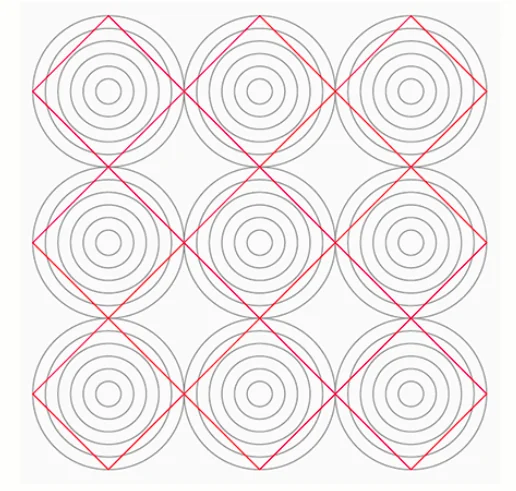
The output produced:visual distortion
Code Structure Explanation
Document Declaration
\documentclass[border=10pt,tikz]{standalone}
The standalone class generates a single image without full document margins.
border=10pt adds a small padding, and tikz loads the TikZ package for vector graphics.
Background Color
\pagecolor{gray!5}
Sets a light gray background to improve contrast and visual comfort.
TikZ Environment
\begin{tikzpicture}[x=4cm,y=4cm,...]
Defines the drawing area. Scaling ensures each grid unit equals 4 cm for consistent proportions.
Rectangle Node Style
every rectangle node/.style={draw,thick,red,rotate=45,minimum width=0.707*4cm,minimum height=0.707*4cm}
Defines the appearance of square nodes:
draw,thick,red: Draws red squares with thick borders.
rotate=45: Rotates each square by 45°, forming a diamond shape.
\foreach\y in {1,...,3}\foreach\x in {1,...,3}{ ... }
Generates a 3×3 grid of circle clusters centered at coordinates (x, y).
Concentric Circles
\foreach\diameter in {1,...,6}\draw[gray,thick] (\x,\y) circle (1/12*\diameter);
Draws six concentric circles per grid point, producing a layered depth illusion.
Square Nodes
\node[rectangle] at (\x,\y) {};
Places a red rotated square at each grid center, creating a visual conflict between radial (circular) and diagonal (square) orientation — the essence of the illusion.
Visual Analysis
Visual Factor
Perceptual Effect
Diagonal squares
Create tension and apparent skew
Concentric circles
Reinforce radial focus
Neutral colors
Maintain balance between shapes
Together, they form an impression of distortion even though all elements are mathematically aligned.
The illusion emerges from the interaction between circle symmetry and diagonal orientation.
The human eye perceives competing directional cues:
Experimental Variations
Parameter
Function
Visual Impact
Number of circles (1,...,6)
Controls layering
More circles amplify depth illusion
Square color
e.g., blue or orange
Alters focal emphasis
Rotation angle
Change to 30° or 60°
Shifts perceived distortion
Circle spacing
Modify 1/12 to 1/10
Changes density and overlap
Example variation:
\node[rectangle,draw=blue,rotate=30] at (\x,\y) {};
Scientific and Artistic Relevance
This pattern demonstrates how geometry influences perception:
Cognitive psychology: illustrates orientation conflict and visual interpretation.
Geometric art: transforms mathematical symmetry into aesthetic patterns.
Information visualization: helps understand alignment perception.
Design: used in architecture and optical art for dynamic compositions.
Conclusion
The circle illusion shows that perfect symmetry does not guarantee stable perception.
By combining concentric geometry and diagonal rotation, our brains fabricate curvature where none exists.
Using LaTeX TikZ, such illusions can be precisely modeled — turning mathematics into visual art.
References
Gregory, R. L. (1997). Eye and Brain: The Psychology of Seeing. Oxford University Press.
Coren, S., & Girgus, J. S. (1978). Seeing is Deceiving: The Psychology of Visual Illusions. Lawrence Erlbaum.
Ware, C. (2013). Information Visualization: Perception for Design. Morgan Kaufmann.