Drawing Fractal Snowflakes Using Lindenmayer Systems (L-Systems) in LaTeX TikZ

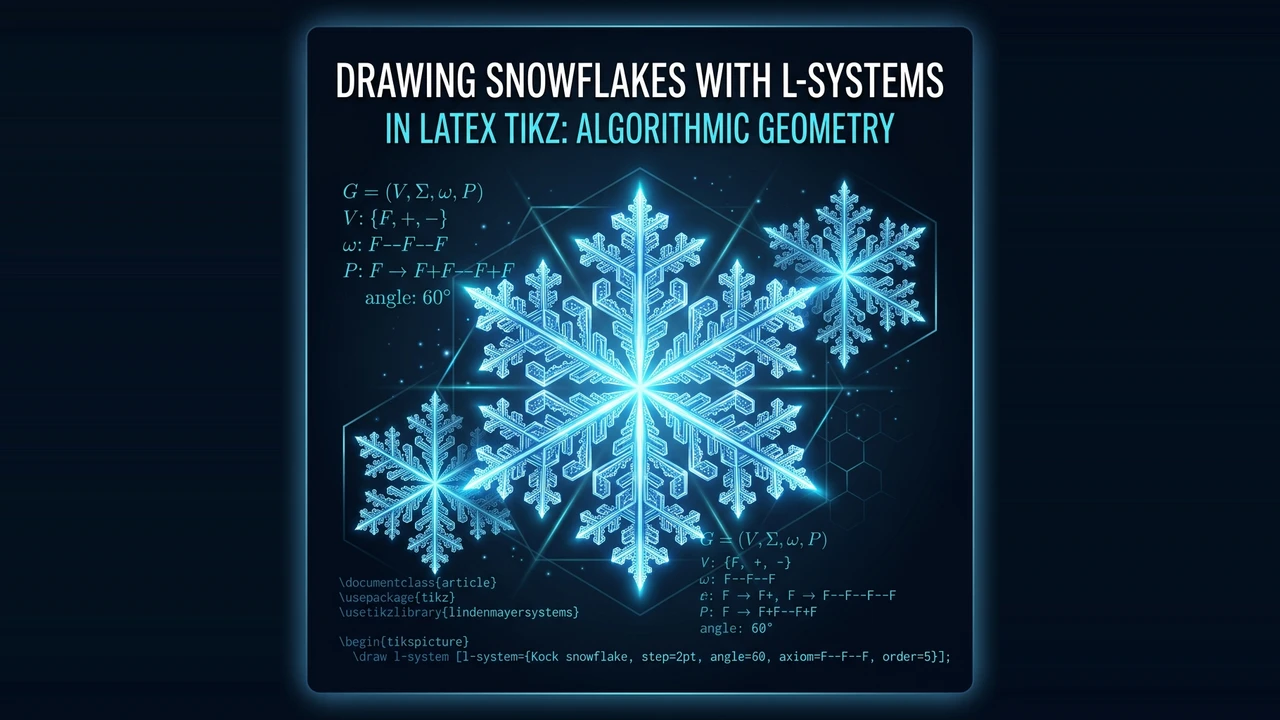
This article explores Lindenmayer Systems (L-Systems) fractal theory and LaTeX TikZ coding techniques to model 6-fold hexagonal ice crystal snowflakes.
Introduction
In nature, snowflakes form as water vapor freezes around atmospheric particles, crystallizing into hexagonal molecular structures. Consequently, nearly all ice snowflakes exhibit 6-fold radial symmetry ( rotation).
In computer science and fractal geometry, one of the most elegant methods for modeling self-similar branching structures is the Lindenmayer System (L-System), introduced by theoretical biologist Aristid Lindenmayer in 1968.
This article reviews a LaTeX TikZ implementation by Jose Luis Diaz (JLDiaz). By defining L-System string rewrite rules for a single snowflake “arm” using the lindenmayersystems library and rotating it 6 times (\foreach \a in {0,60,...,300}), we can render a vast gallery of precise, intricate crystal snowflakes.
Mathematical Foundations: Lindenmayer Systems (L-Systems)
A formal L-System is defined as a quintuple :
- (Variable Alphabet): Symbols replaced during string rewriting (e.g.,
F,G,H). In TikZ graphics,Fcommands the turtle/pen to move forward and draw a line segment of lengthstep. - (Constant Alphabet): Turtle control symbols:
+: Turn left byangle.-: Turn right byangle.[: Push current position and heading onto the state stack.]: Pop position and heading from the stack (used for branching).
- (Axiom / Initial State): The starting string prior to recursion (e.g.,
axiom=F). - (Production Rules): Rewrite rules replacing variables with new strings at each recursion level (
order).
LaTeX Source Code
Here is the complete TikZ code by Jose Luis Diaz to compute multiple snowflake variations:
% Snowflakes with TikZ
% Author: Jose Luis Diaz (JLDiaz)
\documentclass{article}
\usepackage[textwidth=6cm]{geometry}
\usepackage{tikz}
\usepackage[active,tightpage]{preview}
\PreviewEnvironment{center}
\setlength\PreviewBorder{10pt}%
\usetikzlibrary{lindenmayersystems}

% -------------------------------------------------------------
% L-System Rule Declarations for Snowflake Arms
% -------------------------------------------------------------
\pgfdeclarelindenmayersystem{A}{
  \rule{F -> FF[+F][-F]}
}

\pgfdeclarelindenmayersystem{B}{
  \rule{F -> ffF[++FF][--FF]}
}

\pgfdeclarelindenmayersystem{C}{
  \symbol{G}{\pgflsystemdrawforward}
  \rule{F -> F[+F][-F]FG[+F][-F]FG}
}

\pgfdeclarelindenmayersystem{D}{
  \symbol{G}{\pgflsystemdrawforward}
  \symbol{H}{\pgflsystemdrawforward}
  \rule{F -> H[+HG][-HG]G}
  \rule{G -> HF}
}

% Default Style Configuration
\tikzset{
  type/.style={
    l-system={#1, axiom=F, order=3, step=4pt, angle=60},
    blue, opacity=0.4, line width=.5mm, line cap=round
  },
}

% Macro to Draw a Complete Snowflake (6-Fold Radial Symmetry)
\newcommand\drawsnowflake[2][scale=0.2]{
  \tikz[#1] \foreach \a in {0,60,...,300} {
    \draw[rotate=\a,#2] l-system;
  };
}

\begin{document}
\begin{center}

  % System A Variations Across Line Widths
  \foreach \width in {.2,.4,...,.8} {
    \drawsnowflake[scale=0.3]{type=A, line width=\width mm}
  }

  % System A Variations with 90-Degree Branch Angle
  \foreach \width in {.2,.4,...,.8} {
    \drawsnowflake[scale=0.38]{type=A, l-system={angle=90}, line width=\width mm}
  }

  % System B Variations
  \foreach \width in {.2,.4,...,.8} {
    \drawsnowflake[scale=0.3]{type=B, line width=\width mm}
  }

  \foreach \width in {.2,.4,...,.8} {
    \drawsnowflake{type=B, l-system={angle=30}, line width=\width mm}
  }

  % Systems C & D with Custom Axioms
  \drawsnowflake[scale=0.24]{type=C, l-system={order=2}, line width=0.2mm}
  \drawsnowflake[scale=0.25]{type=C, l-system={order=2}, line width=0.4mm}
  \drawsnowflake[scale=0.25]{type=C, l-system={order=2,axiom=fF}, line width=0.2mm}
  \drawsnowflake[scale=0.32]{type=C, l-system={order=2,axiom=---fff+++F}, line width=0.2mm}

  \drawsnowflake[scale=0.38]{type=D, l-system={order=4,angle=60,axiom=GF}, line width=0.7mm}
  \drawsnowflake[scale=0.38]{type=D, l-system={order=4,angle=60,axiom=GfF}, line width=0.7mm}
  \drawsnowflake[scale=0.38]{type=D, l-system={order=4,angle=60,axiom=FG}, line width=0.7mm}
  \drawsnowflake[scale=0.38]{type=D, l-system={order=4,angle=60,axiom=FfG}, line width=0.7mm}

\end{center}
\end{document}
Output Produced
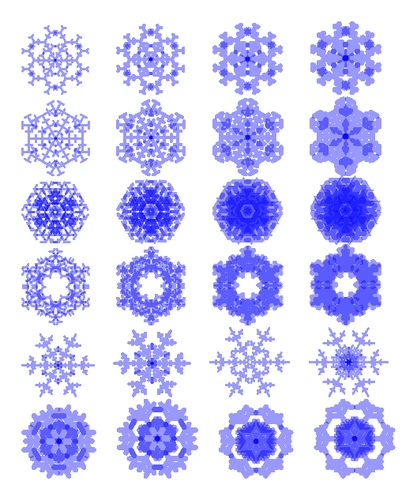
Compiling the code generates a diverse gallery of snowflake crystals:
Detailed Code Analysis & Logic
1. lindenmayersystems Library
TikZ’s built-in \usetikzlibrary{lindenmayersystems} provides native string-rewriting capabilities without requiring custom recursive TeX routines.
2. Production Rule Declarations
Looking at System A:
\pgfdeclarelindenmayersystem{A}{
  \rule{F -> FF[+F][-F]}
}- At
order=1,FbecomesFF[+F][-F]. - At
order=2, eachFin the expanded string is recursively rewritten again. - Square brackets
[+F]and[-F]branch off to the left and right, then restore the turtle position back to the stem.
3. 6-Fold Radial Symmetry Rotation
The complete snowflake is assembled inside \drawsnowflake:
\newcommand\drawsnowflake[2][scale=0.2]{
  \tikz[#1] \foreach \a in {0,60,...,300} {
    \draw[rotate=\a,#2] l-system;
  };
}
Loop \foreach \a in {0,60,...,300} duplicates and rotates 1 L-system branch across angles and .
TikZ Experimentation
Try these modifications to create new snowflake geometries:
- Varying Branch Angles (
angle): Setangle=45to generate 8-fold symmetric snowflakes with\foreach \a in {0,45,...,315}. - Recursion Depth (
order): Increaseorder=3toorder=4ororder=5for denser, more intricate crystal filigree. - Custom Color Gradients:
Change
blue, opacity=0.4tocyan!80!blackor add glow effects for an icy aesthetic.
Conclusion
Jose Luis Diaz’s TikZ code demonstrates how Lindenmayer Systems combined with radial rotational symmetry offer an efficient framework for algorithmic botanical and crystalline modeling in LaTeX.
References
- Jose Luis Diaz, Snowflakes with TikZ, TeXample.net
- Przemyslaw Prusinkiewicz & Aristid Lindenmayer, The Algorithmic Beauty of Plants, Springer-Verlag, 1990.
- Till Tantau, The TikZ and PGF Manual, v3.1.10, 2024.
Written by: Aan Triono
License: CC BY-SA 4.0




