Writing Learning Modules

Introduction
In teaching activities, a teacher has many choices of teaching media. This media is used as a tool for teachers to convey lesson material well and correctly. Namely coherent, easy to understand, and also conveyed as clearly as possible in accordance with basic competencies or learning outcomes. One of the teaching media commonly used by teachers is learning modules. The definition of a module is simply defined as a form of teaching resource. Modules are prepared by a learning group or individual, which is then arranged in a neat systematic manner. Next it will be printed, this printed result will then be used as a guide for the teacher as well as for the students. The existence of this learning module then allows the entire class to continue learning. Even if the teacher who teaches in that class cannot fill in for one reason or another. So that learning activities can continue. Here I will share a guide to writing learning modules using LaTeX.

As a first step we choose a document class book, and in the preamble we write the packages used along with their libraries. For example as follows.
Preamble
\documentclass[a4paper,12pt]{book}\usepackage[left=3cm,right=2cm,top=2cm,bottom=2cm]{geometry}\usepackage[indonesian]{babel}\usepackage{fourier}\usepackage{multicol}\usepackage{booktabs}\usepackage{tabularx} \usepackage[shortlabels, inline]{enumitem}\usepackage[svgnames,dvipsnames]{xcolor}\usepackage[many]{tcolorbox}\tcbuselibrary{breakable} \newtcolorbox[auto counter,number within=chapter]{thm}[2][]{% colback=green!10!white,colframe=green!20!white,fonttitle=\bfseries,coltitle=red, toprule=3pt, leftrule=10pt, rightrule=5pt, titlerule=0pt, title=Th\'eor\'eme.~\thetcbcounter} \newtcolorbox{myfancybox}[1]{breakable,enhanced jigsaw,colback=blue!10,colframe=red,top=20pt,overlay unbroken={\node[fill=green,text=yellow] at (frame.east) {$\clubsuit$};}, attach boxed title to top left={xshift=220pt,yshift=-7pt}, boxed title style={size=small,colback=blue,colframe=red}, title=#1}\usepackage{graphicx}\title{Modul Matematika}\newcommand{\booksubtitle}{Untuk kelas IX Semester 1}\newcommand{\booklicense}{Creative Commons Zero 1.0 Universal}\author{Aan Triono, S.Pd}\newcommand{\authorsubtitle}{SMPN Purworejo, Lampung Tengah}\makeatletter\newcommand{\booktitle}{\@title}\newcommand{\bookauthor}{\@author}\makeatother \usepackage[tikz,blur]{bclogo}\usetikzlibrary{calc} % this is for graphics. e.g. rectangle on title page\usepackage{amsmath,amssymb} % Used by equations\let\ds\displaystyle\renewcommand{\contentsname}{Table of Contents} % default is {Contents}\NewEnviron{myremark}[1]{\par\medskip\noindent \begin{tikzpicture} \node[inner sep=0pt] (box) {\parbox[t]{.99\textwidth}{% \begin{minipage}{.3\textwidth} \centering\tikz[scale=5]\node[scale=3,rotate=30]{\bclampe}; \end{minipage}% \begin{minipage}{.65\textwidth} \textbf{#1}\par\smallskip \BODY \end{minipage}\hfill}% }; \draw[blue!75!black,line width=3pt] ( $ (box.north east) + (-5pt,3pt) $ ) -- ( $ (box.north east) + (0,3pt) $ ) -- ( $ (box.south east) + (0,-3pt) $ ) -- + (-5pt,0); \draw[blue!75!black,line width=3pt] ( $ (box.north west) + (5pt,3pt) $ ) -- ( $ (box.north west) + (0,3pt) $ ) -- ( $ (box.south west) + (0,-3pt) $ ) -- + (5pt,0); \end{tikzpicture}\par\medskip%}\usepackage{hyperref}\hypersetup{ colorlinks=true, linkcolor=blue, filecolor=magenta, urlcolor=blue,}Information:
- The document class used is **book, **paper **A4**, and font size **12pt**.
- Package **geometry** used to set page margins or document layout.
- Package **Babylon** used to regulate the rules of the language used.
- Package **fourier** is the type of letter used.
- Package** multicol** used to divide a page into columns.
- Package **booktabs **used to create tables.
- Package **tabularx** used to create tables.
- Package** enumitem** used to create item lists.
- Package **xcolor **used for coloring in documents.
- Package **tcolorbox** to create colored boxes in a document.
- Package **blogo** to create colored boxes in a document.
- Package **amsmath, amssymb **used to write mathematics and its symbols.
- Package **hyperref** to create a link or links in a document.
Document Body
Entering the body of the document we write down the parts of the learning module that are written, for example as follows.
A. Front part, which among other things consists of:
- Cover
- Validity sheet
- Foreword
- List of contents
- List of images (if any)
B. Contents section, which consists of:
- Chapter or Chapters
- Part or Section
- Subsection or Subsection
- Subsection or Subsubsection
C. Back
- Index (if any)
- Bibliography
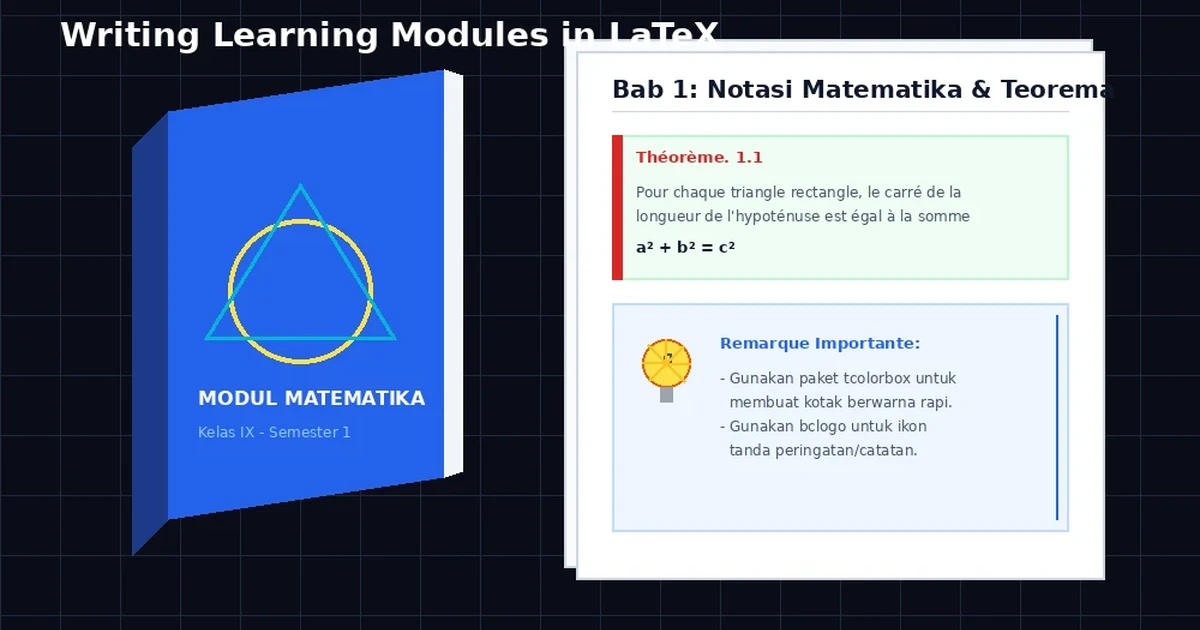
Next, start writing each chapter, section and subsection according to the material that will be used as a learning module. If you don’t want to indent the start of each paragraph, use the command \parindent0em in the preamble. To minimize errors that occur, frequently compile the documents you create, so that if there is an error you immediately know the cause and find a solution. As an example of a learning module written using , Below is an example. Please click on the image below, then swipe left to see the module page by page.
Closing
That’s the article about writing learning modules using . If you look at the appearance, at least in my view, it looks better, neater and more elegant compared to documents typed using other tools. What do you think?




