Circle Optical Illusion

Introduction
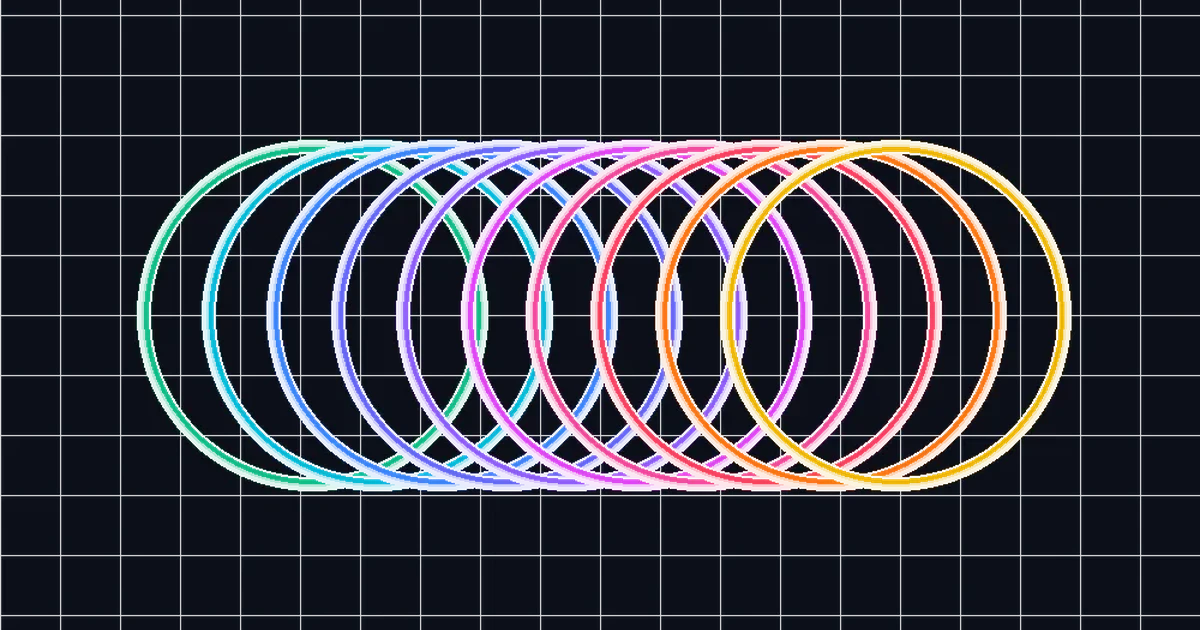
When we see images in print or electronic media, we definitely have or often see images that deceive the eye or what is usually called optical illusion. Actually, an optical illusion image is just an ordinary image, what makes it appear as if it moves or changes color is the ability of our eyes. One of the illusory images is the circular optical illusion below.

How to draw the circular optical illusion using ? Check out the following guide.
Drawing the Optical Illusion of a Circle
For the first part, in the preamble, we write the following commands.
\documentclass{article}
\usepackage{tikz}
Next, in the body of the document, we will start giving commands to draw using the following commands.
\begin{document}
\begin{tikzpicture}[line width=1mm, blue]
\end{tikzpicture}
\end{document}
In this command, the width of the circle is 1 mm and the color of the entire circle drawn is blue. Of course, you can change these two things according to your wishes. Arriving at the core part, draw 10 circles side by side using the following command.
\draw (1,1)   circle (2cm);
\draw (1.8,1) circle (2cm);
\draw (2.6,1) circle (2cm);
\draw (3.4,1) circle (2cm);
\draw (4.2,1) circle (2cm);
\draw (5,1)   circle (2cm);
\draw (5.8,1) circle (2cm);
\draw (6.6,1) circle (2cm);
\draw (7.4,1) circle (2cm);
\draw (8.2,1) circle (2cm);
If you want to change the coloring of each circle, you can do this by adding the following color options.
\draw [green] (1,1)   circle (2cm);
\draw [pink] (1.8,1) circle (2cm);
\draw [cyan] (2.6,1) circle (2cm);
\draw [magenta] (3.4,1) circle (2cm);
\draw [red] (4.2,1) circle (2cm);
\draw [blue] (5,1)   circle (2cm);
\draw [brown] (5.8,1) circle (2cm);
\draw [yellow] (6.6,1) circle (2cm);
\draw [purple] (7.4,1) circle (2cm);
\draw [orange] (8.2,1) circle (2cm);
The compilation results of adding the color options above are as follows.

Complete Code
In addition, Below is the complete code for the circular optical illusion image.
\documentclass{article}
\usepackage{tikz}
\begin{document}
	\begin{tikzpicture}[line width=1mm, blue]
		\draw  (1,1)   circle (2cm);
		\draw  (1.8,1) circle (2cm);
		\draw  (2.6,1) circle (2cm);
		\draw  (3.4,1) circle (2cm);
		\draw  (4.2,1) circle (2cm);
		\draw  (5,1)   circle (2cm);
		\draw  (5.8,1) circle (2cm);
		\draw  (6.6,1) circle (2cm);
		\draw  (7.4,1) circle (2cm);
		\draw  (8.2,1) circle (2cm);
	\end{tikzpicture}
\end{document}
And for colored circles with the following code.
\documentclass{article}
\usepackage{tikz}
\begin{document}
	\begin{tikzpicture}[line width=1mm]
		\draw [green] (1,1)   circle (2cm);
		\draw [pink] (1.8,1) circle (2cm);
		\draw [cyan] (2.6,1) circle (2cm);
		\draw [magenta] (3.4,1) circle (2cm);
		\draw [red] (4.2,1) circle (2cm);
		\draw [blue] (5,1)   circle (2cm);
		\draw [brown] (5.8,1) circle (2cm);
		\draw [yellow] (6.6,1) circle (2cm);
		\draw [purple] (7.4,1) circle (2cm);
		\draw [orange] (8.2,1) circle (2cm);
	\end{tikzpicture}
\end{document}
You can compile and see the results using the engine available on this blog. Please paste the code here.
Closing
These are the steps for drawing a circular optical illusion using . In your opinion, does the circular optical illusion image resemble a tunnel or other shape? Of course, it comes back to your own vision. I hope this is helpful.




