Technical Guide: How to Compile LaTeX Documents Completely and Efficiently

Compilation is the process of translating LaTeX commands into a ready-to-print document. This article discusses how LaTeX compilation works, types of compilers available, the compilation sequence, and how to resolve errors efficiently.
Introduction
NoteNote: This article was generated with the help of AI technology and has been manually reviewed to ensure accuracy and clarity.
.tex file can be converted into the final format such as .pdf, .dvi, or .ps.What is LaTeX Compilation?
LaTeX compilation is the process performed by a compiler to read the source file (usually with the .tex extension), interpret the commands inside (\section{}, \usepackage{}, etc.), and produce an output file such as .pdf.
In short:
document.tex → [compiler] → document.pdfThis process differs from a typical word processor like Microsoft Word because LaTeX separates content writing from output rendering.
Types of LaTeX Compilers
Here are some commonly used LaTeX compilers:
| Compiler | Main Output | Advantages | Disadvantages |
|---|---|---|---|
| pdfLaTeX | PDF directly | Fast, stable, compatible with most packages | Limited to TeX fonts and ASCII input |
| XeLaTeX | Supports Unicode and system fonts (TTF/OTF) | Slightly slower | |
| LuaLaTeX | Supports Lua scripting, high performance | Less stable with older packages | |
| LaTeX → DVI → PS → PDF | PDF/DVI | Classic method, suitable for legacy projects | Long process and rarely used today |
💡 Recommendation: Use
pdfLaTeXfor standard documents,XeLaTeXfor non-Latin languages (e.g., Indonesian, Japanese, Arabic), andLuaLaTeXfor projects involving advanced graphics or scripting.
The Compilation Process
When compiling, LaTeX goes through several stages:
- Reads the
.texfile — the compiler processes the preamble (\usepackage{}) and the main document body. - Builds document structure — generates the table of contents, labels, references, and indexes.
- Processes math symbols, images, and tables.
- Creates auxiliary files such as:
.aux→ for cross-references (\ref,\cite).toc→ for the table of contents.log→ for error logs
- Produces the final output (
.pdfor.dvi). Because of these auxiliary files, LaTeX documents often need to be compiled more than once, especially when using cross-references, tables of contents, or bibliographies.
Compilation via Terminal
For local system users (Windows, macOS, Linux), compilation can be performed via the command line. Example:
pdflatex document.tex
bibtex document
pdflatex document.tex
pdflatex document.tex
Steps:
- First compilation: generates
.auxand.toc. - Run
bibtex(if a bibliography is used). - Recompile to update references.
- Final compilation for the finished output.
⚙️ If you’re using
biber(withbiblatex), replacebibtexwithbiber document.
Compilation via Editor Environments
Besides the terminal, compilation can also be done directly from LaTeX editors. Common options include: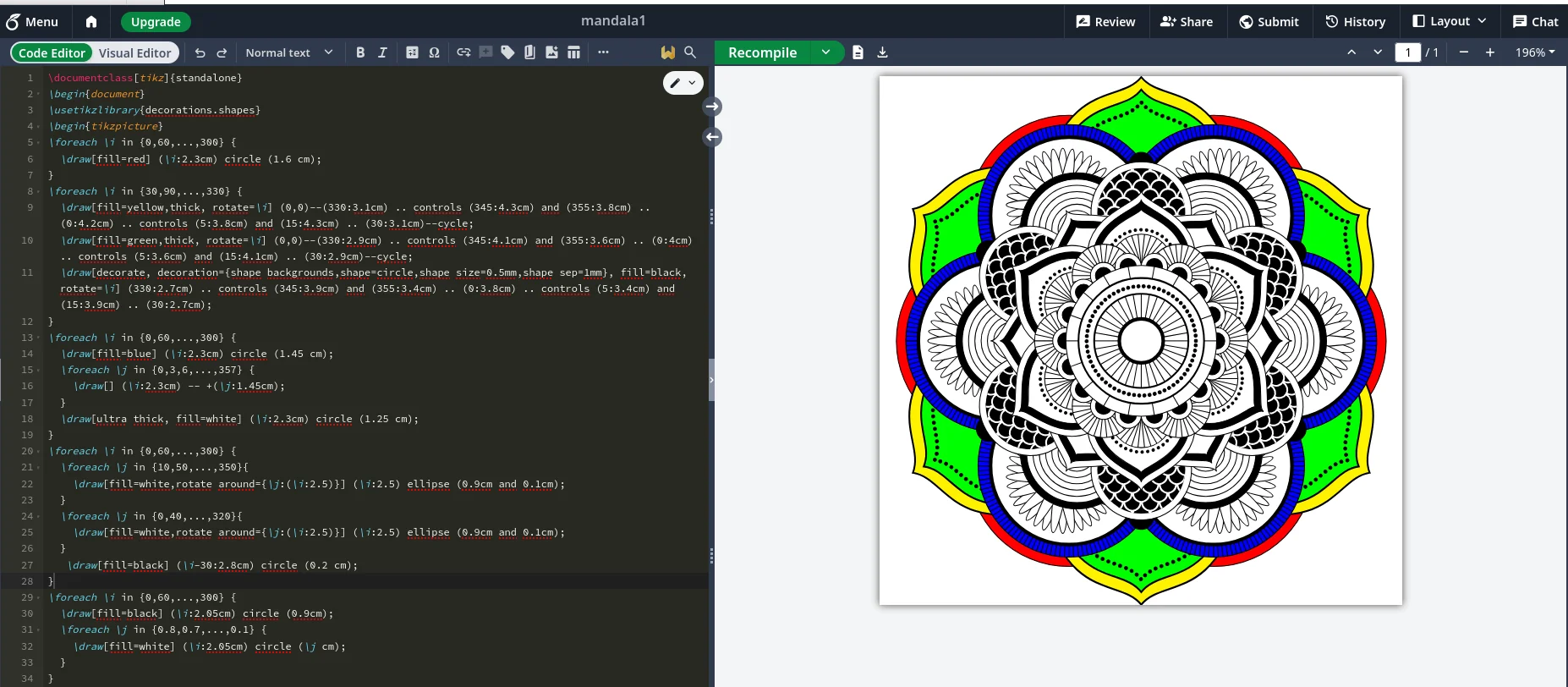
Overleaf (Online)
- Automatically compiles whenever you save.
- Choose the compiler via Menu → Compiler → pdfLaTeX/XeLaTeX.
- No local installation required.
TeXworks / TeXstudio (Offline)
- Press Ctrl + T or click the “Typeset” icon.
- Select the compiler from the dropdown list.
- Suitable for Windows/macOS users.
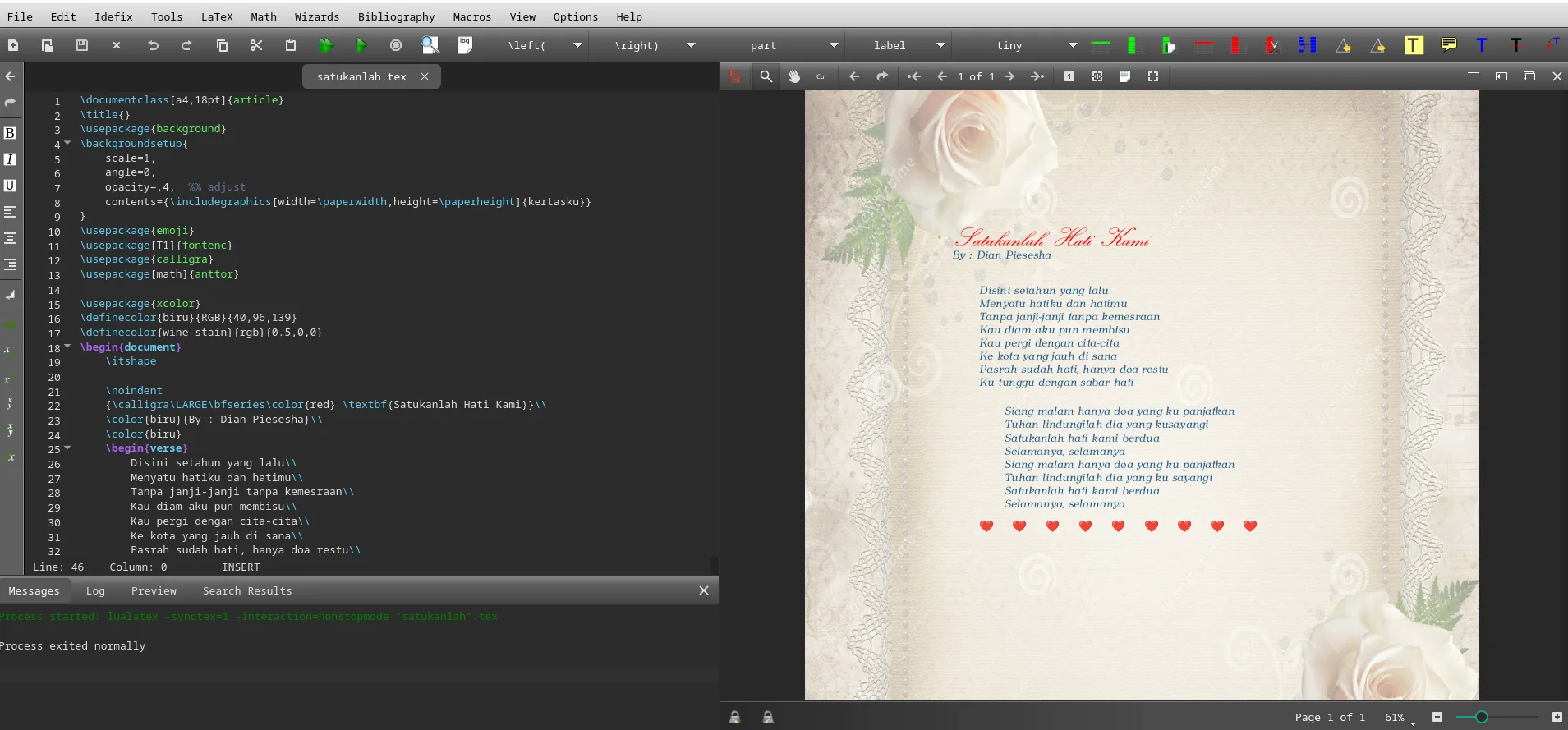
TeXstudio interface
Visual Studio Code + LaTeX Workshop
- A popular extension among modern users.
- Supports build chain automation (e.g., pdflatex → bibtex → pdflatex → pdflatex).
- Configuration file:
.vscode/settings.jsonExample configuration:
"latex-workshop.latex.recipes": [
  {
    "name": "pdflatex -> bibtex -> pdflatex x2",
    "tools": ["pdflatex", "bibtex", "pdflatex", "pdflatex"]
  }
]
Common Compilation Errors
Here are common LaTeX compilation errors and how to fix them:
| Error Message | Cause | Solution |
|---|---|---|
! Undefined control sequence. | Unknown command | Ensure the required package is loaded (\usepackage{}) |
! LaTeX Error: File 'xxx.sty' not found. | Missing package | Install using a package manager (tlmgr install xxx) |
! Missing $ inserted. | Math mode error | Wrap math expressions with $...$ or \[...\] |
Package hyperref Warning: Token not allowed in a PDF string | Invalid characters in hyperlink | Use {} or replace special characters |
| Output incomplete / references missing | Not enough compilation runs | Compile 2–3 times |
🧩 Tip: Check the
document.logfile for detailed error messages and line numbers.
Modern Workflow and Automation
For efficiency, many users rely on automated compilation tools, such as:
- latexmk — automatically performs all compilation stages (LaTeX, BibTeX, index).
Example:
latexmk -pdf document.tex - arara — build system based on commands in
.texfile comments. Example preamble:% arara: pdflatex % arara: bibtex % arara: pdflatex % arara: pdflatex - Makefile — for large projects with multiple
.texfiles. With an automated workflow, you only need one command to trigger the entire compilation sequence.
Conclusion
Compilation is the core of the LaTeX system — the process that transforms source code into a high-quality document. Understanding how compilers work, the build sequence, and error handling will help you write scientific documents more efficiently and professionally. Whether using Overleaf, VS Code, or the terminal, the principle remains the same: make sure all packages, references, and resources are ready before the final compilation.
References
- The LaTeX Project. https://www.latex-project.org
- Overleaf Documentation – Understanding PDF Compilation https://www.overleaf.com/learn/latex
- TeX Users Group (TUG). LaTeX Compilation Workflow. https://tug.org
- Wikibooks. LaTeX/Installing and Compiling. https://en.wikibooks.org/wiki/LaTeX/Installing_and_Compiling




